

A scientific calculator on your phone can stand in for a handheld one when you study at home, but most wrong answers do not come from the app. They come from two things: the wrong degree/radian setting and missing brackets. This guide shows how to work with trigonometry, roots and powers correctly, with worked examples and answers so you can test your own calculator.
Degrees (DEG) vs radians (RAD): the wrong mode ruins the whole problem
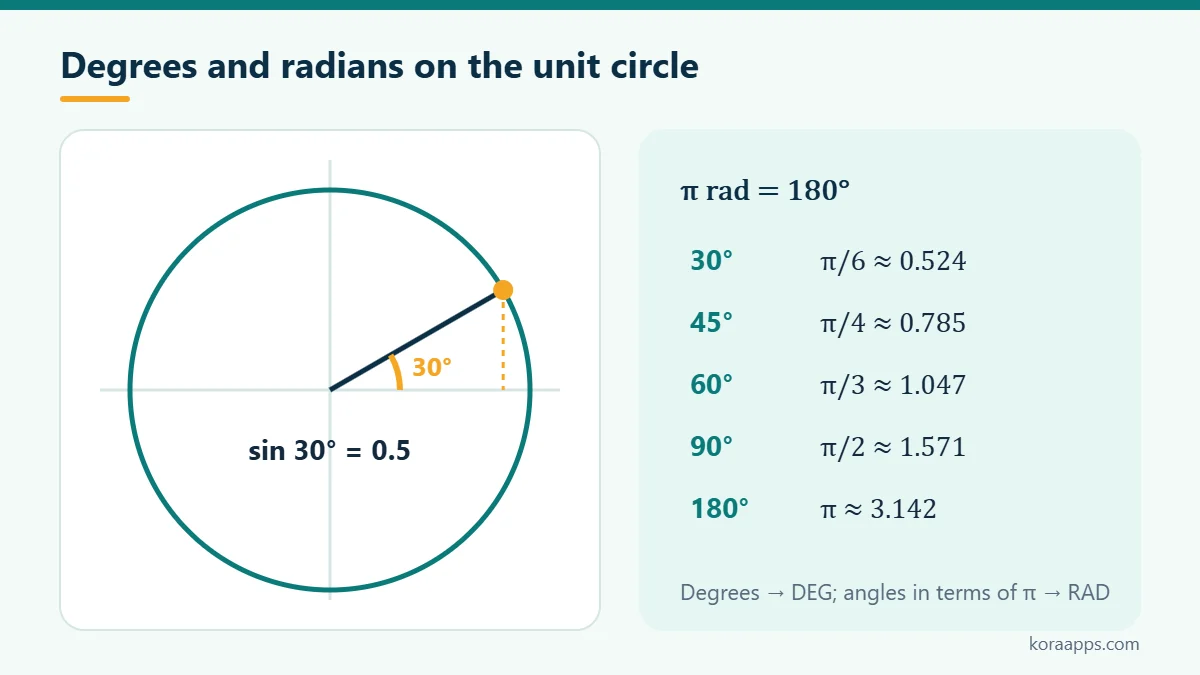
Angles can be measured in degrees or radians, with π rad = 180°. Every scientific calculator has a mode switch, usually labeled DEG and RAD. The same keystrokes give very different results in each mode:
| Calculation | DEG mode | RAD mode |
|---|---|---|
| sin(30) | 0.5 | ≈ −0.988 |
| cos(60) | 0.5 | ≈ −0.952 |
| tan(45) | 1 | ≈ 1.620 |
- Angles given in degrees (30°, 45°, 60°…): use DEG. This is the usual case in geometry and triangle problems.
- Angles written in terms of π (π/6, π/4…), or problems about oscillations and circular motion with ω: use RAD.
- Quick conversion: radians = degrees × π / 180. For example 90° = π/2 ≈ 1.5708 rad.
The keys you need on a scientific calculator
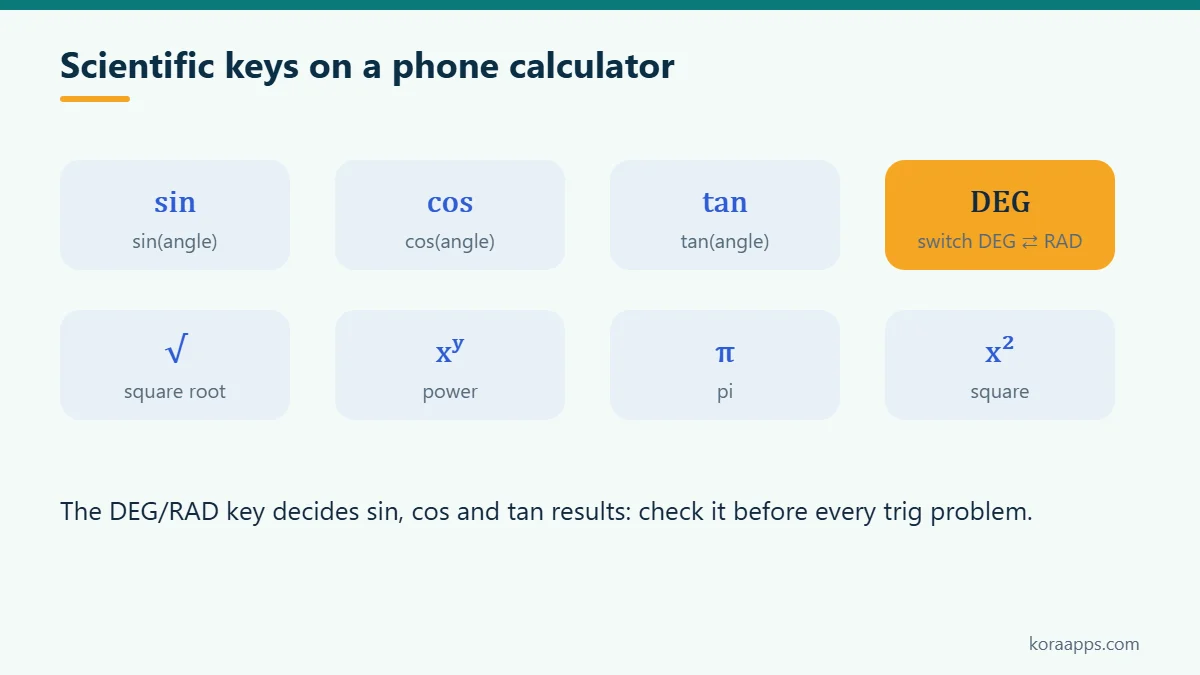
| Key | Meaning | Example |
|---|---|---|
| sin, cos, tan | Trig ratios | sin(30) = 0.5 in DEG mode |
| √ | Square root | √(9) = 3 |
| x² | Square | 5² = 25 |
| xʸ | Any power | 2^10 = 1024 |
| π | Pi ≈ 3.14159 | 2 × π × 5 ≈ 31.416 (circumference of a circle with radius 5) |
| ( ) | Group operations | (2 + 3) × 4 = 20 |
Worked examples
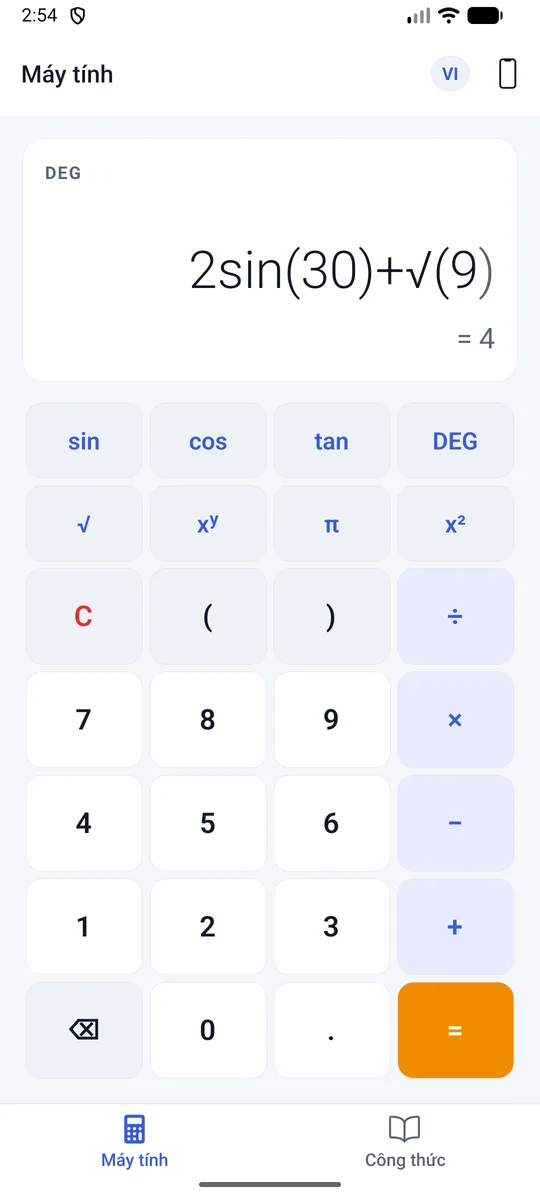
Calculate 2sin(30°) + √9
- Make sure the calculator is in DEG mode.
- Type 2 × sin(30) + √(9). Close the brackets after 30 and after 9.
- Result: 2 × 0.5 + 3 = 4.
Find the hypotenuse from two legs
A right triangle has legs of 6 cm and 8 cm. By the Pythagorean theorem, the hypotenuse is √(6² + 8²). Type √(6^2 + 8^2) = √100 = 10 cm. The whole sum must sit inside the root’s brackets; if you type √6^2 + 8^2, the calculator squares √6 and adds 64, giving 70.
Work with radians in an oscillation problem
For a phase ωt = π/3, cos(π/3) must be calculated in RAD mode: cos(π ÷ 3) = 0.5. If you forget to switch, the calculator reads π/3 ≈ 1.047 as degrees and returns about 0.9998, which is completely wrong.
Order of operations and brackets
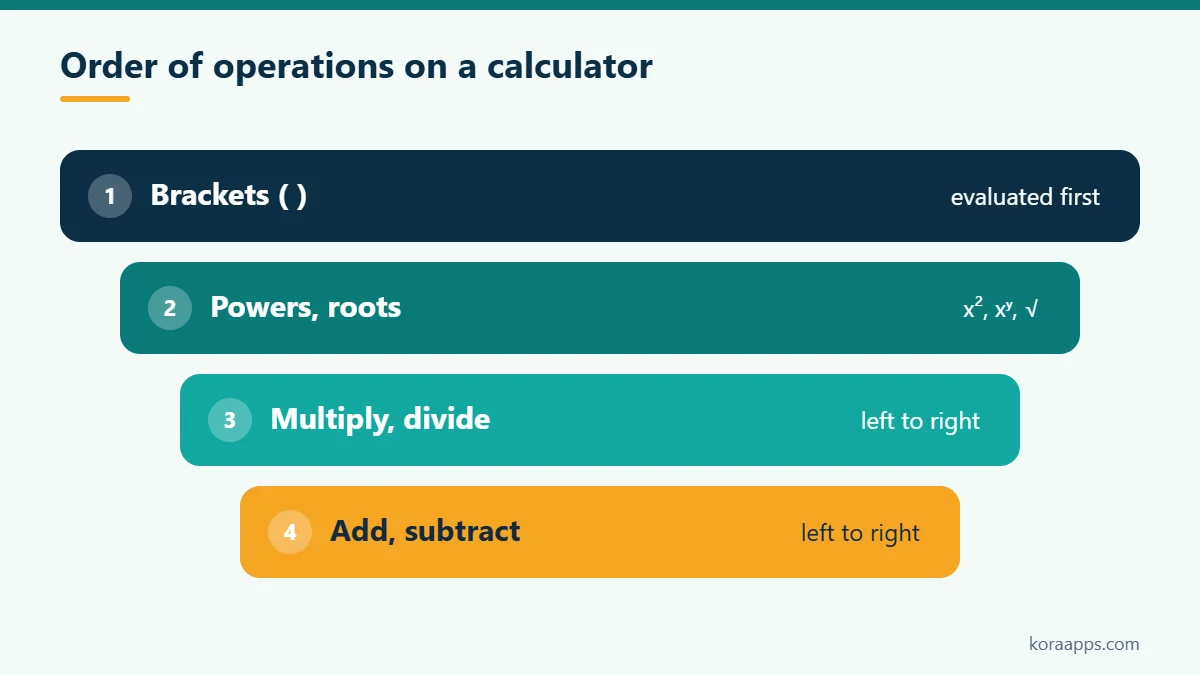
A scientific calculator evaluates brackets first, then powers and roots, then multiplication and division, and finally addition and subtraction. So:
- 8 ÷ 2 × (2 + 2) = 8 ÷ 2 × 4 = 16 (multiply and divide left to right).
- −3² = −9, but (−3)² = 9.
- 1 ÷ 2 × 3 = 1.5, but 1 ÷ (2 × 3) ≈ 0.167. When dividing by a product, always put the product in brackets.
Tips for using a phone calculator while studying
- Watch the live preview before pressing “=”: many apps show a running result as you type.
- Use the calculation history to review your last steps. Giải Nhanh keeps your last 20 calculations on the phone.
- For long problems, compute each part separately and write down intermediate results so mistakes are easy to find.
- When you need to solve for one quantity from a formula, use a formula solver instead of rearranging by hand; see the example in free fall formulas.
The calculator in Giải Nhanh has all the keys above, with the DEG/RAD switch on the top row; it works offline and has no ads.
Conclusion
To use a scientific calculator on your phone accurately, build two habits: check DEG or RAD before every trigonometry problem, and put brackets around everything under a root, in a denominator or after sin, cos and tan. If the angle is given in degrees, choose DEG; if it is written in terms of π or is an oscillation phase, choose RAD.
Frequently asked questions
Why doesn’t sin(30) give 0.5 on my calculator?
Your calculator is in radian mode. Switch to DEG and sin(30) = 0.5.
Can I use a phone calculator instead of a handheld one in an exam?
No. Exams usually ban phones; use the phone calculator only for studying at home.
How do I take a cube root on a scientific calculator?
Use a fractional power: the cube root of 27 is 27^(1 ÷ 3) = 3.
How do I convert degrees to radians?
Multiply by π and divide by 180. For example 60° = 60 × π ÷ 180 = π/3 ≈ 1.047 rad.