Free study apps for students are now good enough to replace part of a stack of workbooks, but pick the wrong ones and your phone becomes a place to copy answers rather than learn. This list covers 10 apps students can use right away without paying, with what each does well, where it falls short and how to combine them so you work faster and still understand the material.
Prices and features are as of November 2026. Apps change their paid plans, so check the app page on Google Play before installing.
How we chose these study apps
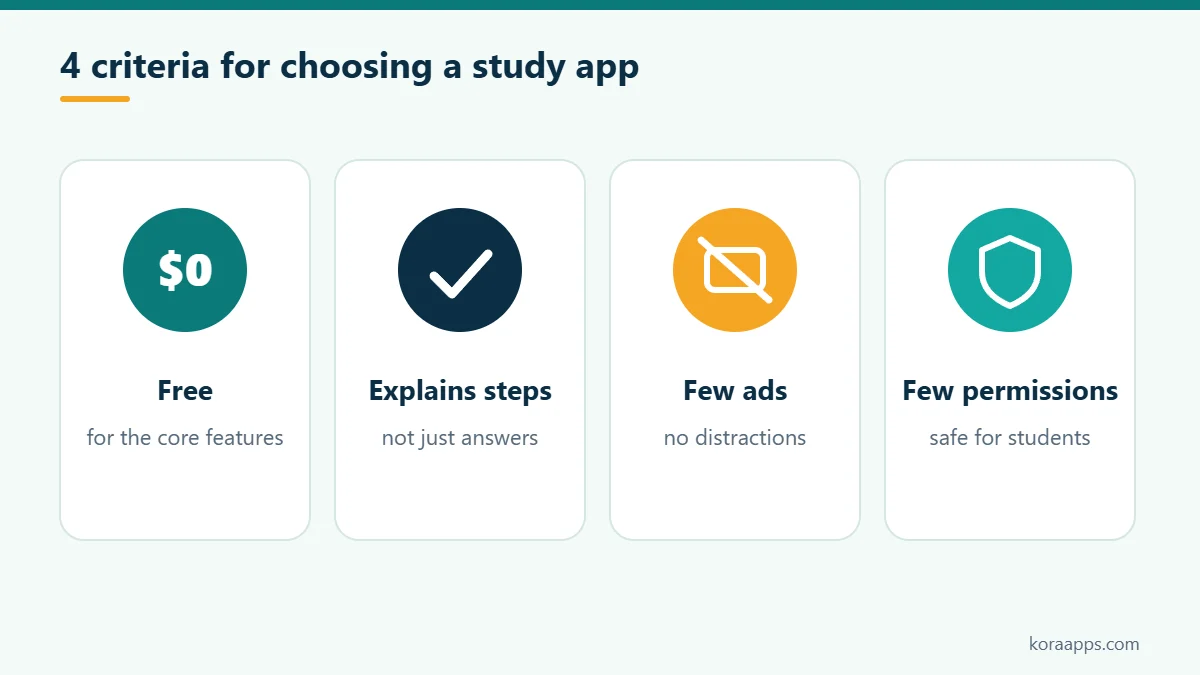
- Free for the main use, with no paywall before you can learn.
- Helps you understand the method, not just the final answer.
- Few distracting ads while you study.
- Asks for few permissions on your phone, which suits students.
10 free study apps worth installing
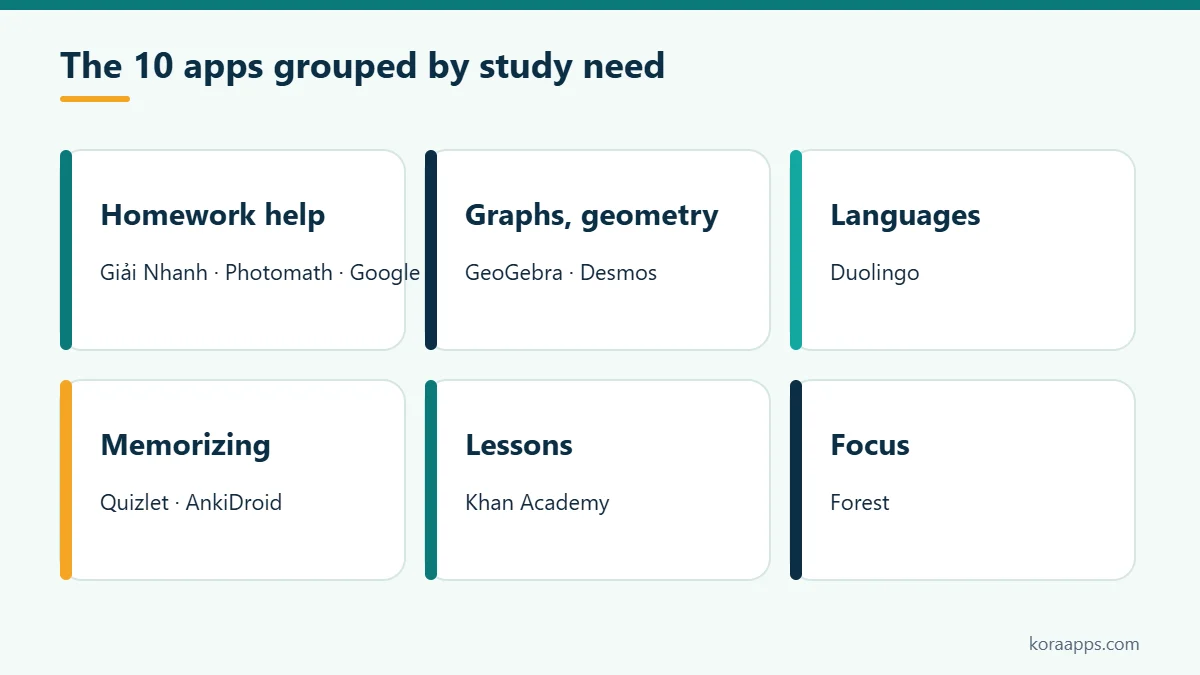
1. Giải Nhanh – math, physics and chemistry formula solver
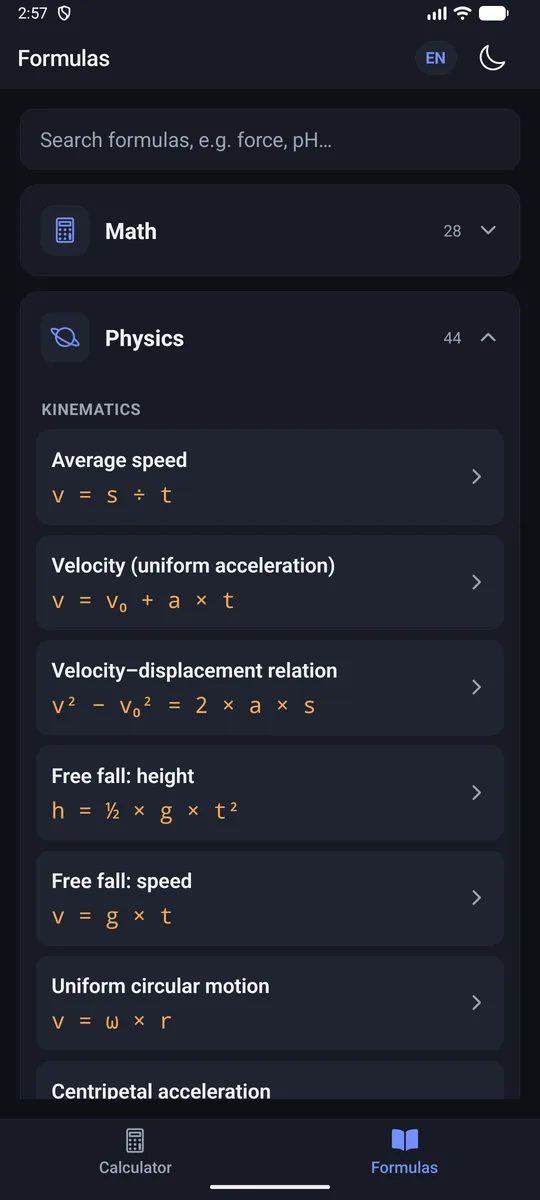
Built by KORA APPS: pick a built-in formula, enter the values you know, and the app finds the missing one with a step-by-step solution. The library has 89 formulas (28 math, 44 physics, 17 chemistry), plus a scientific calculator with degree and radian modes.
- Best for: checking physics and chemistry problems where you plug numbers into formulas; reviewing formulas before a test.
- Cost: free, no ads, no account.
- Keep in mind: it solves only formulas in its library and does not read photos of problems. Details on the Giải Nhanh page.
2. Google Lens
Point your camera at a math problem or a block of text and Lens recognizes it, then suggests solutions, explanations or related web pages. Lens is built into the Google app on most Android phones.
- Best for: quick lookups, translating a passage, finding lessons on the same topic.
- Cost: free.
- Keep in mind: results come from many sources online, so double-check them.
3. Photomath
Snap a calculation or equation to see a step-by-step solution. Photomath is now owned by Google.
- Best for: algebra, equations, simplifying expressions.
- Cost: basic solutions are free; more detailed explanations are part of the paid Photomath Plus plan.
- Keep in mind: it is easy to fall into snap-and-copy; work the problem yourself first, then compare.
4. GeoGebra
A toolkit for graphing functions, building plane and solid geometry, and calculating. Very useful when you need to see a problem.
- Best for: graphs of functions, geometry, probability.
- Cost: free.
- Keep in mind: many tools on screen, so it takes a few sessions to get comfortable.
5. Desmos
An online graphing calculator: type a function and the graph appears instantly; drag sliders to see how parameters change it.
- Best for: analyzing functions, finding intersections, checking solutions graphically.
- Cost: free.
- Keep in mind: focused on graphs; it does not replace a written solution.
6. Duolingo
Language lessons a few minutes long, with daily streaks to build a habit.
- Best for: keeping a language routine going, building vocabulary.
- Cost: the free version has ads; a paid plan removes them and adds features.
- Keep in mind: great for habits; exam prep needs books and past papers too.
7. Quizlet
Create flashcard sets or use ones others have shared, then study with flip cards, quizzes and matching games.
- Best for: vocabulary, definitions, dates, formulas you need to memorize.
- Cost: basic features are free; some study modes are part of Quizlet Plus.
- Keep in mind: user-made sets can contain mistakes, so make your own cards for important material.
8. AnkiDroid
A flashcard app using spaced repetition: cards you struggle with come back sooner, cards you know are shown less often.
- Best for: long-term memorization, vocabulary, formulas.
- Cost: free and open source on Android.
- Keep in mind: simple interface; you need to create or import decks.
9. Khan Academy
A library of video lessons and graded exercises from the nonprofit of the same name.
- Best for: rebuilding foundations in math and science step by step.
- Cost: completely free.
- Keep in mind: structured courses work best when you follow them in order.
10. Forest
A focus app: when you start a study session a virtual tree is planted, and it withers if you leave the app to scroll social media.
- Best for: avoiding distractions while studying at home.
- Cost: on Android there is a free version with ads; some extra features are paid.
- Keep in mind: it supports your willpower but does not replace good habits.
Quick comparison
| App | Subject / need | Main use | Free |
|---|---|---|---|
| Giải Nhanh | Math, physics, chemistry | Formula solving with steps | Yes, no ads |
| Google Lens | All subjects | Photo lookup | Yes |
| Photomath | Math | Photo of problem, steps | Yes (detailed explanations paid) |
| GeoGebra | Math | Graphs, geometry | Yes |
| Desmos | Math | Graphs | Yes |
| Duolingo | Languages | Daily short lessons | Yes, with ads |
| Quizlet | Memorizing | Flashcards | Basic plan |
| AnkiDroid | Memorizing | Spaced repetition | Yes |
| Khan Academy | Math, science | Videos and exercises | Yes |
| Forest | Focus | Study timer | Yes, with ads |
How to combine study apps effectively
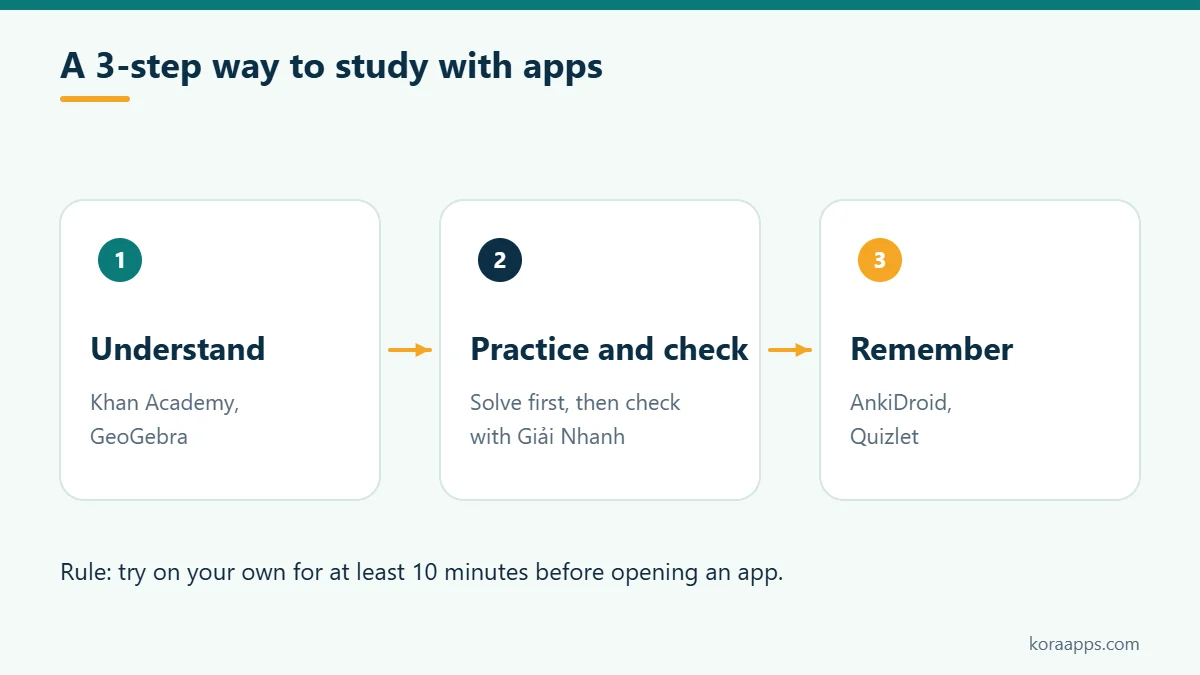
Each app is good at one part of studying, so there is no need to install a dozen and use them all half-heartedly. A lean set for high-school students covers three needs:
- Understand: Khan Academy or GeoGebra when you need to review theory or picture a graph.
- Practice and check: solve on paper first, then use Giải Nhanh or Photomath to compare step by step.
- Remember: AnkiDroid or Quizlet for formulas and vocabulary; Forest to stay focused during study time.
The most common mistake is opening a solver before thinking. You get the answer quickly, but in a classroom test without your phone you will not know where to start. Keep one rule: try for at least 10 minutes on your own, open an app only when stuck, and rewrite the solution in your own words.
Conclusion
A good set of free study apps does not need many apps: one to understand, one to check your work and one to remember. If you often get stuck on plug-in-the-numbers physics or chemistry problems, try Giải Nhanh for step-by-step solutions; if graphs are the hard part, GeoGebra or Desmos will help more.
Frequently asked questions
Should students use homework solver apps?
Yes, as a way to check work you have already done. Copying answers from the start means you will not remember the method in an exam.
Which study apps have no ads?
Giải Nhanh, GeoGebra, Desmos, AnkiDroid and Khan Academy currently show no ads while you study. Duolingo and Forest show ads in their free versions.
Do study apps need an account?
It depends. Giải Nhanh, GeoGebra and Desmos work right away; Duolingo, Quizlet and Khan Academy need an account to save your progress.
How can I tell if a study app is safe for students?
Check the “Data safety” section on Google Play, review which permissions the app asks for, and read its privacy policy before installing.